
Common values
Sider
1
Open Sider settings
Click the Sider icon on the right side of the browser and open Sider settings.
2
Find model or API provider settings
Open General settings, choose custom API key in the AI access area, then click Settings for OpenAI.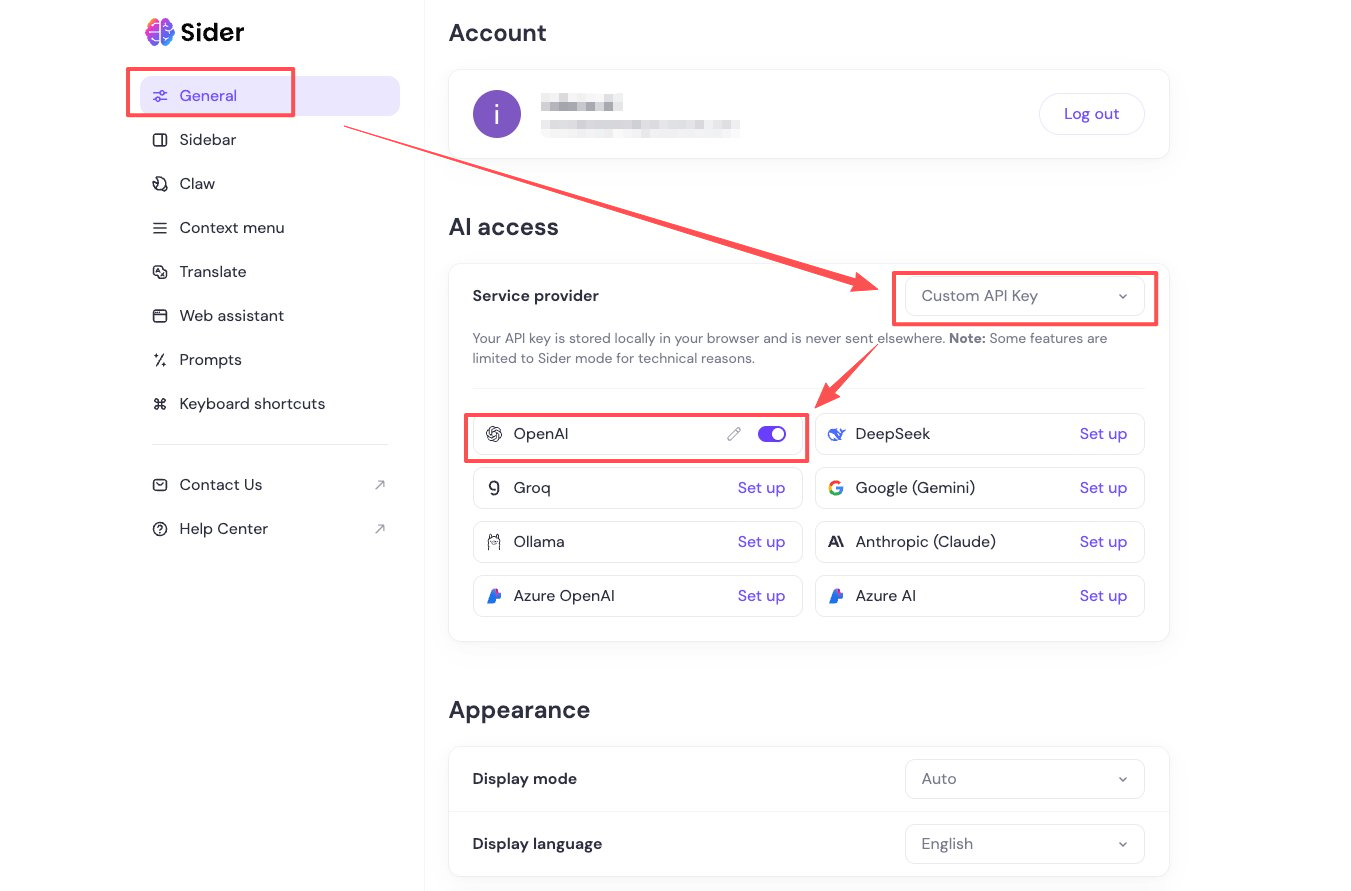
3
Choose a custom OpenAI-compatible endpoint
In the OpenAI configuration window, use a custom API key and proxy URL.
4
Set the Base URL
Set the API proxy URL to
https://moxus.ai/v1.5
Set the API key
Set API key to 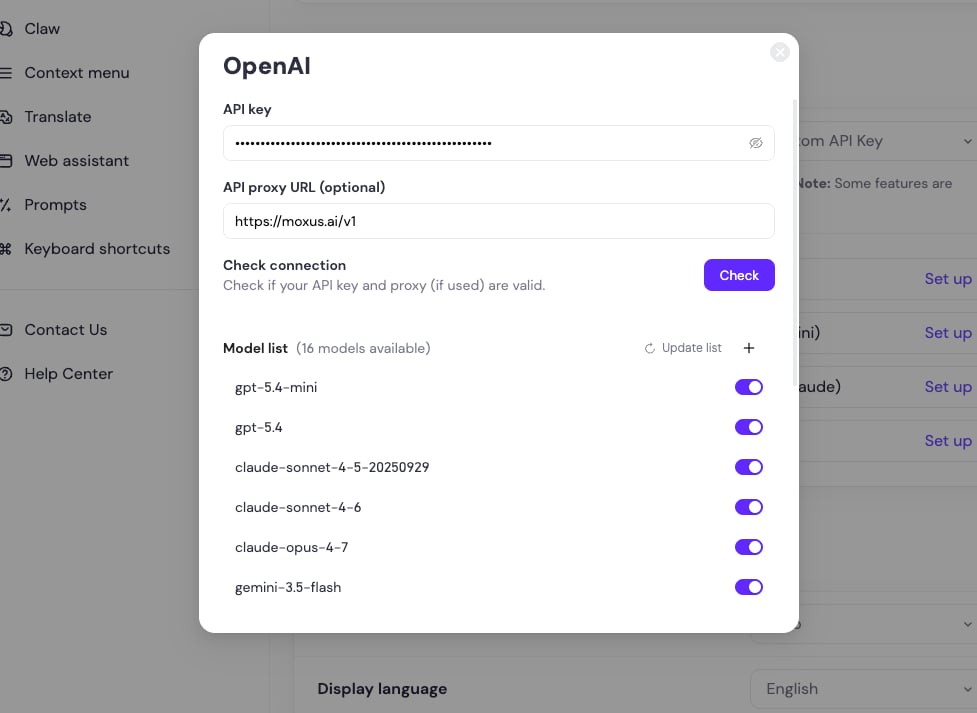
sk-your-key, then check or save the configuration.6
Choose a model and test
Save the settings, choose an available model, and send a test message to confirm Sider returns a response.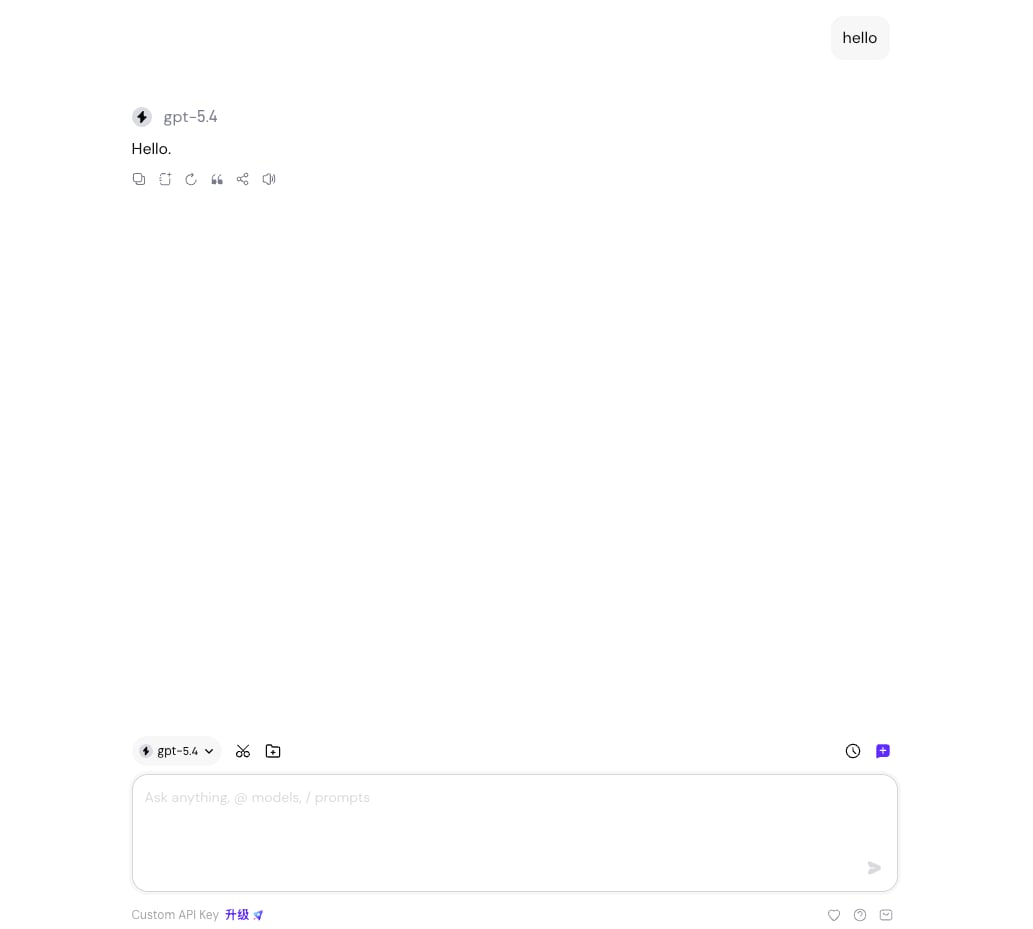
ChatGPT Sidebar
- Open extension settings.
- Choose custom API or OpenAI API.
- Set endpoint to
https://moxus.ai/v1. - Enter your API key.
- If the extension asks for a model, enter the exact model name from Models and pricing.
Other browser assistants
Most extensions use different field names for the same values:Troubleshooting
Should I include Bearer in the key field?
Should I include Bearer in the key field?
Usually no. Most extensions only need the
sk- key and add Bearer automatically. Only enter the full Authorization header if the extension explicitly asks for it.Webpage summary fails but chat works
Webpage summary fails but chat works
The extension may be sending too much context or unsupported page content. Select a smaller page range or choose a longer-context model.
I am worried about key leakage
I am worried about key leakage
Create a separate API key for browser extensions and set a low quota limit. Delete the key when you no longer use the extension.